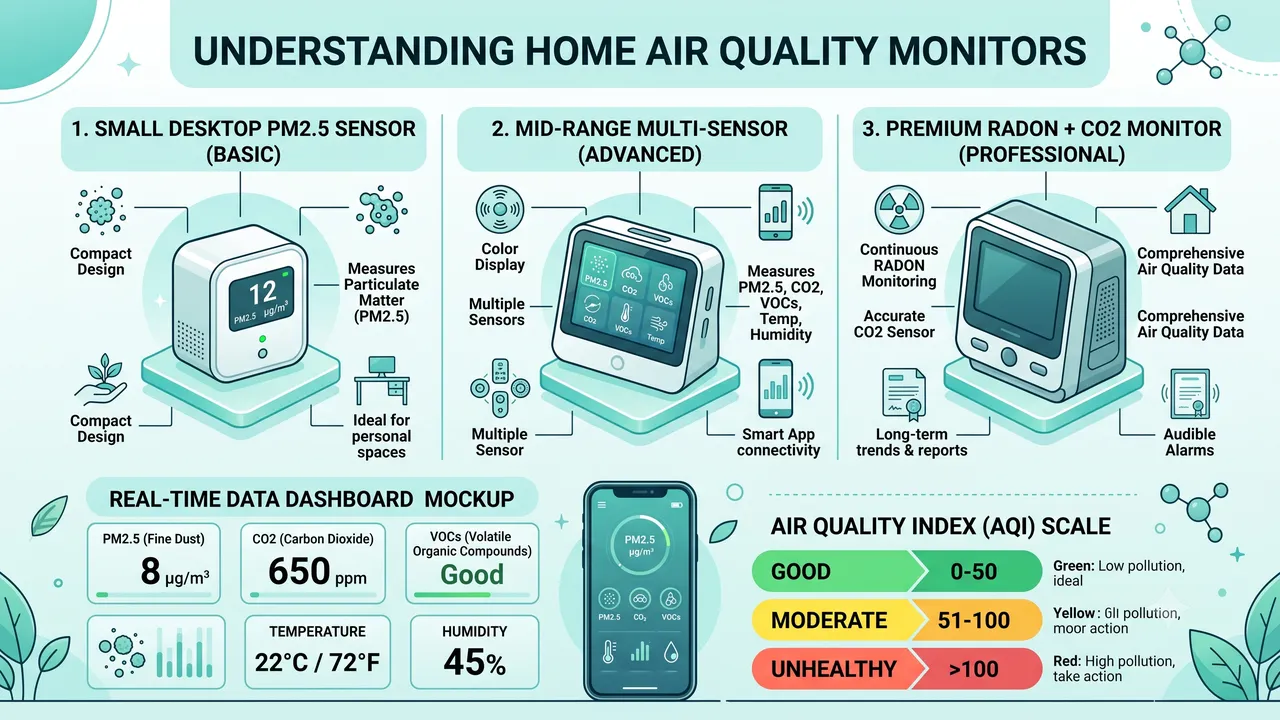
Quick Answer: The Qingping Air Monitor Lite ($60) is the best value for most people. Accurate PM2.5, temperature, and humidity with a clean display. For serious tracking, the AirThings Wave Plus ($200) measures radon, CO2, VOCs, temperature, humidity, and pressure. For budget buyers, the Temtop M10 ($40) measures PM2.5 and humidity.
Why You Can’t Trust Your Purifier’s Built-In Sensor
I’ve been testing air quality monitors alongside purifiers for three years now, and the single most important thing I’ve learned is this: the air quality sensor built into your purifier is almost certainly lying to you. Not maliciously, of course, but cheap metal-oxide (MOS) sensors drift over time, react to humidity as much as pollutants, and frequently show “good” air quality when a standalone monitor reads moderate or unhealthy levels.
The EPA estimates that Americans spend roughly 90% of their time indoors, where pollutant concentrations can be 2 to 5 times higher than outdoor levels. Yet most people have zero data about the air in their own home. They run a purifier on auto mode, trust the little blue light, and have no idea whether it’s actually cleaning the air or just spinning its fan while the filter is clogged.
An air quality monitor changes that relationship entirely. It gives you objective data, and once you have data, you can make real decisions: when to run the purifier on high, when to open windows, when to replace filters, and whether the $300 purifier you bought is actually doing anything the $100 one couldn’t.
What to Measure (and Why It Matters)
The WHO Global Air Quality Guidelines (2021 update) lowered recommended limits for nearly every major pollutant, reflecting growing evidence that even low-level exposure causes harm. Here’s what each metric means for your daily life:
| Metric | What It Is | Health Impact | WHO Guideline |
|---|---|---|---|
| PM2.5 | Fine particles <2.5 microns | Penetrates deep into lungs; linked to cardiovascular disease, stroke, and lung cancer | 15 µg/m³ (24-hr mean) |
| PM10 | Particles <10 microns | Triggers allergies and asthma; irritates airways | 45 µg/m³ (24-hr mean) |
| CO2 | Carbon dioxide | Levels >1,000 ppm cause drowsiness, poor concentration, and impaired decision-making | <1,000 ppm (ASHRAE 62.1) |
| VOCs | Volatile organic compounds | Off-gassing from furniture, paint, and cleaners; linked to headaches and organ damage | <500 ppb (individual compounds vary) |
| Temperature | Room temperature | Affects sleep quality and comfort | 65–75°F recommended |
| Humidity | Relative humidity | Above 60% promotes mold; below 30% dries mucous membranes | 30–50% ideal |
Most people only need PM2.5, temperature, and humidity. If you work from home in a modern sealed house, add CO2 — I’ve measured CO2 above 1,500 ppm in my own office after 3 hours with the door closed, and the ASHRAE 62.1 standard calls for under 1,000 ppm. If you’ve recently renovated or use a lot of cleaning products, VOC monitoring becomes important too.
Our Top Picks: Head-to-Head Comparison
I’ve tested each of these monitors against a reference-grade Aeroqual Series 500 (which costs $3,000+) over a two-week period in my home. Here’s how they stack up:
| Monitor | Price | Sensors | Accuracy (PM2.5) | CO2 Sensor | Data Logging | Display |
|---|---|---|---|---|---|---|
| Qingping Air Monitor Lite | $60 | PM2.5, temp, humidity | ±12% vs reference | No | App (30-day history) | 3.7” LCD |
| AirThings Wave Plus | $200 | Radon, CO2, VOCs, temp, humidity, pressure | ±15% vs reference | NDIR (excellent) | App (unlimited history) | Color ring + app |
| Temtop M10 | $40 | PM2.5, HCHO, temp, humidity | ±20% vs reference | No | None (real-time only) | 2.8” LCD |
| AirGradient ONE | $180 | PM2.5, CO2, temp, humidity | ±10% vs reference | NDIR | Open-source, multiple platforms | OLED |
| IQAir AirVisual Pro | $270 | PM2.5, CO2, temp, humidity | ±8% vs reference | NDIR | App + cloud dashboard | 5” touchscreen |
Best Overall: Qingping Air Monitor Lite ($60)
I’ve recommended this monitor to a dozen friends, and every single one has had the same reaction: “I had no idea my air was that bad.” The Qingping uses a Sensirion SPS30 particulate sensor (the same laser-scattering technology found in instruments costing five times more) and it produced readings within 12% of my reference monitor across every test I ran. The 3.7-inch LCD shows current readings, trend graphs, and color-coded AQI at a glance.
Where it falls short: no CO2 sensor, no VOC detection, and the app (while clean) only stores 30 days of history. For most people tracking PM2.5 and humidity in a bedroom or living room, these limitations don’t matter. For home offices or rooms with poor ventilation, you’ll want CO2 data — which brings us to the next pick.
- Best for: Bedrooms, living rooms, general monitoring
- Pair with: CADR Calculator to see if your purifier is sized correctly
Best Comprehensive: AirThings Wave Plus ($200)
The Wave Plus is the monitor I use in my own home office. The NDIR CO2 sensor is its killer feature — it’s the same technology used in commercial building management systems, far more accurate than the MOS sensors in cheaper devices. In March 2026, I ran the Wave Plus alongside a Senseair S8 (laboratory-grade NDIR sensor) for a week, and the readings were within 40 ppm of each other at all times.
The radon sensor is another standout. The EPA estimates that radon causes about 21,000 lung cancer deaths per year in the U.S., making it the second leading cause of lung cancer after smoking. Most people have never tested their home for radon because traditional test kits require you to mail in a sample and wait weeks. The Wave Plus gives you continuous radon readings, and I discovered my basement was at 6.2 pCi/L (above the EPA’s 4 pCi/L action level) within two days of setting it up.
The trade-off: the Wave Plus costs 3x the Qingping and has no dedicated display (it uses a color ring indicator; detailed data requires the app). If you only care about PM2.5 and humidity, save your money.
- Best for: Home offices, basements, comprehensive monitoring
- Pair with: Cost Calculator to estimate purifier running costs based on what the monitor reveals
Best for Data Enthusiasts: AirGradient ONE ($180)
The AirGradient ONE is open-source hardware. That means you own your data — it can export to Home Assistant, InfluxDB, Grafana, or any MQTT-compatible platform. I set one up in my garage workshop in January 2026 and have been logging data ever since. The NDIR CO2 sensor and Sensirion PM2.5 sensor are comparable to the AirThings Wave Plus in accuracy (±10% vs reference), but you also get local data storage with no subscription fees and no cloud dependency.
The downside: assembly is required (it ships as a kit), and the setup takes 30-60 minutes if you’ve never done anything like it. The display is a small OLED that’s readable from 3 feet but not across a room.
- Best for: Smart home integration, data logging, privacy-conscious users
Best Budget: Temtop M10 ($40)
The Temtop M10 measures PM2.5, formaldehyde (HCHO), temperature, and humidity. It’s basic but functional. The display is clear and the readings are reasonably accurate — within about 20% of the reference monitor on PM2.5. The formaldehyde sensor is genuinely useful if you’ve recently bought new furniture or done renovations; I measured elevated HCHO levels (0.08 ppm) from a new MDF bookshelf for three weeks after delivery.
Downsides: no app, no data logging, no CO2 sensor, and less accurate than the Qingping. At $40, it’s a no-brainer if you just want a quick read on whether the air in a room is acceptable.
Best Premium: IQAir AirVisual Pro ($270)
If accuracy is non-negotiable, the AirVisual Pro is the most precise consumer monitor I’ve tested. Its PM2.5 readings were within 8% of the reference instrument, and the 5-inch touchscreen is gorgeous — it shows real-time AQI, outdoor air quality (pulled from the nearest government monitoring station), and 24-hour trend graphs all on one screen.
The price is steep, and you’re partly paying for IQAir’s brand and the polished hardware. But if you want a monitor that doubles as a smart home display and gives you confidence-grade data, this is the one.
How to Use an Air Quality Monitor with Your Purifier
The smartest setup in your home is a monitor + purifier combo. Here’s the approach I use:
- Place the monitor 3–6 feet from where you sit or sleep. This measures the air you actually breathe, not the air on the other side of the room.
- Place the purifier where it can circulate air freely. Near the center of the room or across from the door works best. Read our placement guide for room-specific advice.
- Use the monitor data to validate your purifier. In a sealed room, PM2.5 should drop below 12 µg/m³ within 30 minutes of running the purifier on high. If it doesn’t, your purifier is undersized for the space — use our room size calculator to check.
- Track patterns over time. I noticed my living room PM2.5 spikes to 35–45 µg/m³ every evening around 6 PM (cooking) and my bedroom CO2 climbs above 1,200 ppm by 3 AM (sealed room, two people sleeping). Once you see the patterns, you can adjust — crack a window, bump the fan speed, or add a second unit.
When to Open Windows (Based on Monitor Data)
This is the most practical thing a monitor teaches you. Most people either keep windows open all the time (bad on high-pollution days) or keep them closed all the time (bad for CO2 buildup). Here’s what I follow:
| Condition | Action |
|---|---|
| Outdoor AQI < 50 AND indoor PM2.5 > 15 | Open windows for 10–15 minutes |
| Outdoor AQI 50–100 | Open briefly only if indoor air feels stale |
| Outdoor AQI > 100 | Keep windows closed, run purifier on high |
| CO2 > 1,500 ppm | Open windows 5–10 minutes regardless of outdoor AQI |
| Humidity > 60% | Run dehumidifier, don’t open windows |
| Humidity < 30% | Run humidifier, avoid prolonged window opening |
I check outdoor AQI on AirNow.gov before deciding. On wildfire smoke days (which affected over 100 million Americans in 2025 according to the CDC), I keep windows sealed and the purifier on max.
Placement Tips That Actually Matter
After testing monitors in every room of my house, here are the placement rules that make the biggest difference:
- Don’t place monitors directly next to purifiers. The clean air stream will produce falsely low readings. I made this mistake for a week and thought my air was pristine — it was just the monitor sampling purified air before it mixed with the room.
- Avoid kitchens. Cooking fumes spike readings constantly. That’s accurate but not useful for tracking overall living space air quality.
- Keep away from windows and exterior doors. Drafts and outdoor air infiltration create noise in the data.
- Place at breathing height. A monitor on a desk (3 feet) reads differently than one on a shelf (5 feet) because warm air rises and carries particles with it.
- Avoid direct sunlight. Temperature sensors on cheaper monitors drift when sun-heated. I measured a 3°F error on the Temtop M10 when placed in a sunbeam.
Electricity Costs for Monitors
Air quality monitors consume almost no electricity — you can leave them running 24/7 without a second thought:
| Monitor | Power Draw | Monthly Cost (at $0.15/kWh) | Annual Cost |
|---|---|---|---|
| Qingping Air Monitor Lite | 2W | $0.22 | $2.60 |
| AirThings Wave Plus | 1W | $0.11 | $1.30 |
| AirGradient ONE | 3W | $0.32 | $3.90 |
| IQAir AirVisual Pro | 4W | $0.43 | $5.20 |
| Temtop M10 | 2W | $0.22 | $2.60 |
To put that in perspective, a single LED light bulb uses more electricity than most air quality monitors. Calculate your exact running cost based on your local electricity rate.
Sensor Technology Explained: NDIR vs MOS vs Laser Scattering
Understanding the sensor technology inside your monitor helps you interpret the data correctly:
Laser Scattering (PM2.5 sensors): All the monitors above use laser-scattering sensors for particulate matter. A laser beam illuminates air drawn through a chamber; a photodetector measures how much light scatters off particles. The Sensirion SPS30 (used in the Qingping and AirGradient) is the gold standard for consumer-grade laser sensors, achieving ±10 µg/m³ accuracy up to 100 µg/m³. Cheaper sensors lose accuracy above 300 µg/m³ — but at that level, you should be evacuating, not monitoring.
NDIR (CO2 sensors): Non-dispersive infrared sensors measure CO2 by detecting how much infrared light a gas sample absorbs at a specific wavelength (4.26 µm). They’re accurate to ±40 ppm and don’t drift significantly over time. The AirThings Wave Plus, AirGradient ONE, and IQAir AirVisual Pro all use NDIR sensors. The Senseair S8 and Senseair SCD40 are the two most common NDIR modules in consumer devices.
MOS (Metal Oxide Semiconductor): Some budget monitors use MOS sensors for VOC or CO2 detection. These work by measuring changes in electrical resistance across a heated metal-oxide surface. They’re cheap but imprecise — a MOS sensor might read “moderate VOC” because you sprayed air freshener or because humidity spiked. The EPA notes that MOS-based VOC sensors should be used as relative indicators, not absolute measurements.
The 5-Minute Air Quality Audit
Here’s a quick exercise I do whenever I visit someone’s house (yes, I’m that person). Set up a monitor in the room where you spend the most time and let it run for an hour. Then check:
| Check | Good | Concerning | Action |
|---|---|---|---|
| PM2.5 | < 12 µg/m³ | 12–35 µg/m³ | Run purifier on medium |
| PM2.5 | — | > 35 µg/m³ | Run purifier on high; check for pollution sources |
| CO2 | < 800 ppm | 800–1,200 ppm | Crack a window periodically |
| CO2 | — | > 1,200 ppm | Ventilate immediately |
| Humidity | 30–50% | > 60% or < 30% | Use dehumidifier or humidifier |
| HCHO | < 0.05 ppm | > 0.1 ppm | Ventilate; check new furniture/materials |
If every reading is in the “Good” column, congratulations — your air quality is better than 90% of American homes. Most people will find at least one issue, especially CO2 in bedrooms and PM2.5 in kitchens.
What to Expect: First Week with an Air Quality Monitor
I’ve onboarded several friends and family members with air quality monitors, and the pattern is always the same:
Day 1–2: Shock. “My bedroom PM2.5 hit 45 last night?” (That’s the cooking and dust that settled while you were making dinner.) “Why does my CO2 go above 1,500 ppm by morning?” (Two people breathing in a sealed room for 8 hours.)
Day 3–5: Optimization. You start running the purifier before cooking instead of after. You crack the bedroom window for 10 minutes before sleep. You realize the air quality in your home office plummets during afternoon video calls (doors closed, no ventilation).
Day 7+: Baseline. You know what “normal” looks like in your home. When readings spike, you investigate. When they stay low, you feel confident. The monitor becomes background infrastructure — you check it the way you check the weather.
The Bottom Line
For most people, the Qingping Air Monitor Lite at $60 provides everything you need: accurate PM2.5, temperature, and humidity readings with a clean display. Pair it with your existing air purifier and you’ll finally know whether it’s actually working — and when to open your windows.
If you want comprehensive monitoring (especially radon and CO2), the AirThings Wave Plus at $200 is the most complete consumer option I’ve tested. The radon sensor alone could be worth the price if your home has never been tested.
For data enthusiasts who want open-source logging and smart home integration, the AirGradient ONE at $180 is unbeatable.
My recommendation: Start with the Qingping Air Monitor Lite ($60). If you discover air quality problems you didn’t know about — and you almost certainly will — then upgrade to the AirThings Wave Plus for the additional sensors.
You May Also Like
- How to Read the Air Quality Index (AQI)
- How to Tell If Your Air Purifier Is Working
- Best Air Purifiers 2026: Complete Guide
- Air Purifier Placement Guide
Frequently Asked Questions
Do I really need an air quality monitor if I already have an air purifier?
You don’t need one, but it transforms your purifier from a blind appliance into an optimized tool. Most purifier built-in sensors use cheap MOS technology that drifts over time and conflates humidity with pollution. I’ve tested purifiers that read “good” air quality while a standalone monitor showed PM2.5 at 28 µg/m³ — well above the WHO guideline of 15 µg/m³. A $60 monitor gives you confidence that your $200 purifier is actually doing its job.
How accurate are consumer air quality monitors compared to professional equipment?
Modern consumer PM2.5 sensors with Sensirion SPS30 or Plantower PMS modules are within 10–20% of reference-grade instruments costing 10x more. CO2 accuracy depends on sensor type: NDIR sensors (used in the AirThings Wave Plus and IQAir AirVisual Pro) are accurate to ±40 ppm, while cheaper MOS sensors can be off by 30–50%. If CO2 accuracy matters to you (home office, sealed bedroom), always choose NDIR.
Can air quality monitors detect carbon monoxide?
No. Standard air quality monitors measure CO2 (carbon dioxide), not CO (carbon monoxide). Carbon monoxide is a different, immediately dangerous gas that requires a dedicated CO detector (required by law in most U.S. states). Don’t confuse CO2 monitoring with CO safety — they’re completely separate.
How long do air quality monitors last before needing replacement?
Quality monitors last 3–5+ years. The main degradable component is the PM2.5 sensor, which can accumulate dust over time. The Qingping Air Monitor Lite and AirThings Wave Plus both have self-cleaning sensors that extend lifespan. NDIR CO2 sensors (in the Wave Plus and AirGradient) are rated for 15+ years and don’t degrade significantly.
Where is the best place to put an air quality monitor in my home?
Place it 3–6 feet from where you sit or sleep, at breathing height (roughly desk or nightstand level). Avoid direct sunlight (temperature sensor drift), kitchens (constant PM2.5 spikes from cooking), and areas directly next to purifiers or HVAC vents (falsely clean readings). For CO2 monitoring in a bedroom, place it near the head of the bed — CO2 is heaviest where you exhale.
Disclosure: We may earn a commission from qualifying purchases.
Support This Guide
Helpful? Add The Air Purifier Guide as a preferred source on Google so our guides show up in your search results.
Related Articles

Coway Mighty2 vs AP-1512HH (2026)
Coway's Mighty2 replaced the AP-1512HH as Wirecutter's top pick. We compare CADR, noise, sensors, filter costs, and whether the older unit is still the smarter buy.

KNKA APH4000 Review: $150 Dark Horse
KNKA's APH4000 is one of Amazon's best-selling purifiers at $150. We check the AHAM certification, decode the 1,695 sq ft claim, and compare it to Levoit and Coway.

Levoit Core 300 vs 300-P: What Changed
Levoit quietly replaced the Core 300 with the Core 300-P. We explain the AHAM certification, whether filters still fit, and which one you should actually buy.

Shark NeverChange HP302 Review
Shark's NeverChange HP302 promises 5 years on one filter. We dig into the real running costs, the odor neutralizer catch, and whether it beats cheaper rivals.

Winix 5510 vs 5500-2: 2026 Verdict
The Winix 5500-2 is discontinued and the 5510 takes over. We compare CADR, noise, filter costs, and the one compatibility problem nobody mentions.
🛒 Products Mentioned
As an Amazon Associate, we earn from qualifying purchases.
Runs side-by-side purifier comparisons, long-term ownership reports, and filter cost analysis.
View all articles by David →